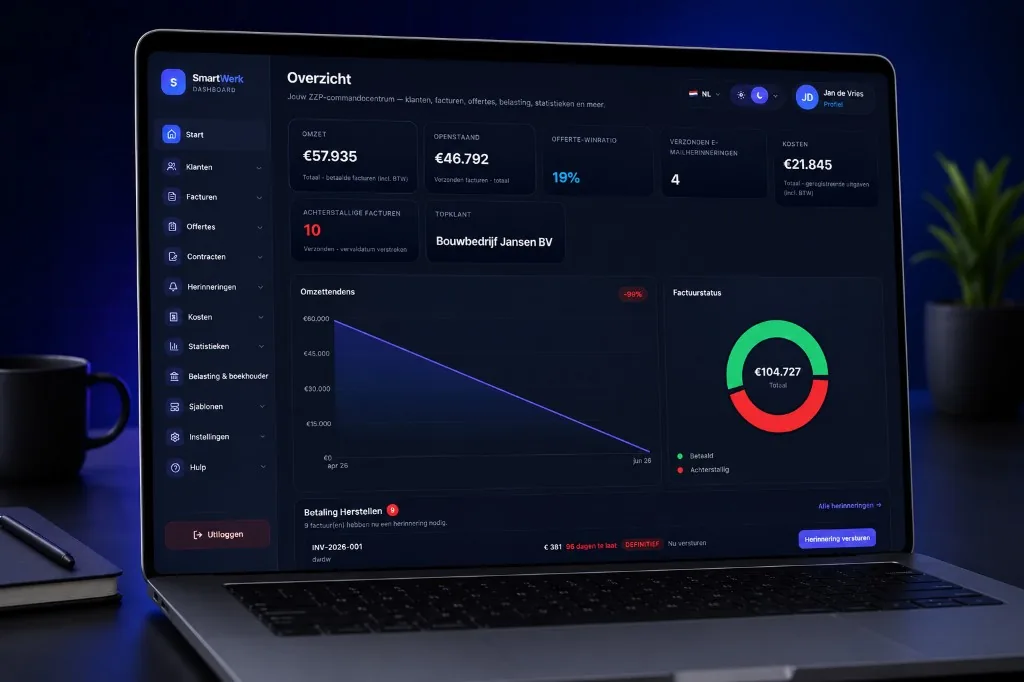
From client to PDF in minutes — English UI, Dutch fields. Add a contract and CV when the job needs it.
1
Add your client
Save name, address and email once. Reuse them on every quote, contract and invoice.
2
Create the invoice
Add line items and VAT. SmartWerk attaches KvK, BTW-ID and your company block automatically.
3
Send or download PDF
Email the invoice or download a clean PDF — in English or Dutch for the client.
4
Contract, CV and reminder
When the job needs it — add a signed contract and a freelancer CV. Then send a payment reminder without Excel.
What a Dutch invoice must include
An English invoice is valid in the Netherlands if the mandatory Dutch fields are present. SmartWerk fills these from your profile.
Your company details
Legal name and address of your business as registered in the Netherlands.
KvK number
Chamber of Commerce number — required on Dutch business invoices.
BTW-ID (VAT number)
Your Dutch VAT ID when you charge VAT, plus a clear VAT breakdown per rate.
Invoice number & dates
Unique sequential number, invoice date and payment due date.
Lines, amounts & totals
Description, quantity, unit price, VAT and totals the client can verify.
Payment details
IBAN / bank details so clients can pay without chasing you for info.
SmartWerk vs Moneybird and Dutch-only tools
Moneybird and e-Boekhouden are strong for Dutch bookkeeping. SmartWerk is for freelancers who want an English UI, contracts and a CV next to invoices. It is not a Word template and it does not file your taxes.
English-first, Dutch-compliant
Run the app in English while invoices stay Dutch-compliant. Send a Dutch PDF when the client needs it.
Contracts + CV together
Sign agreements and share a freelancer CV in the same product. Moneybird is built around bookkeeping, not quotes, contracts and invoices together.
Stronger free start without a card
Start free during launch, try the full invoice workflow, and upgrade only when you need more.
Yes. The dashboard, quotes, contracts, freelancer CV, invoices and reminders are available in English, with Dutch tax fields kept correct.
Are English invoices valid in the Netherlands?
Yes, as long as mandatory Dutch fields (KvK, BTW-ID, amounts, VAT, IBAN) are present — SmartWerk includes them from your profile. Check that your own tax setup is right for your situation.
Can I send a Dutch PDF to a Dutch client?
Yes. Keep the dashboard in English and switch the document language when you need a Dutch factuur. SmartWerk is not a translation plugin and not a Word template.
Is SmartWerk a Moneybird alternative for expats?
If you want English UI, contracts and a freelancer CV next to invoices, yes. If you mainly need deep Dutch bookkeeping integrations, Moneybird or e-Boekhouden may still fit better.
Is this an invoice template I download?
No. SmartWerk is software: you create the invoice in the app and send or download a PDF. It is not a free Word or Excel template.
Do I need a credit card to start?
No. Launch access is free and does not ask for payment details.
Does SmartWerk replace my accountant?
No. It helps you create correct invoices, quotes, contracts and reminders, and export data. Your bookkeeper still handles full bookkeeping and tax filings.
What must be on a Dutch invoice?
Typically: your company details, KvK, BTW-ID when applicable, unique invoice number, dates, line items with VAT, totals and payment details. SmartWerk maps these into the PDF from your profile.
How do quotes, invoices and reminders work?
Save the client, send a quote, turn it into an invoice after acceptance, and send a payment reminder if needed — without rebuilding the document in Excel.
English dashboard for Dutch invoices
Create a free account and send your first invoice with KvK, BTW and IBAN. Quotes, signed contracts and a freelancer CV live in the same English app — not bookkeeping, not a tax filing tool.