What is it?
Invoices is the module where you write, number, send and mark client invoices as paid.
Invoicing & admin
Make an invoice with your company and VAT details, the right VAT per line and an automatic invoice number. Download the PDF or email it.
Start free, no credit card needed.
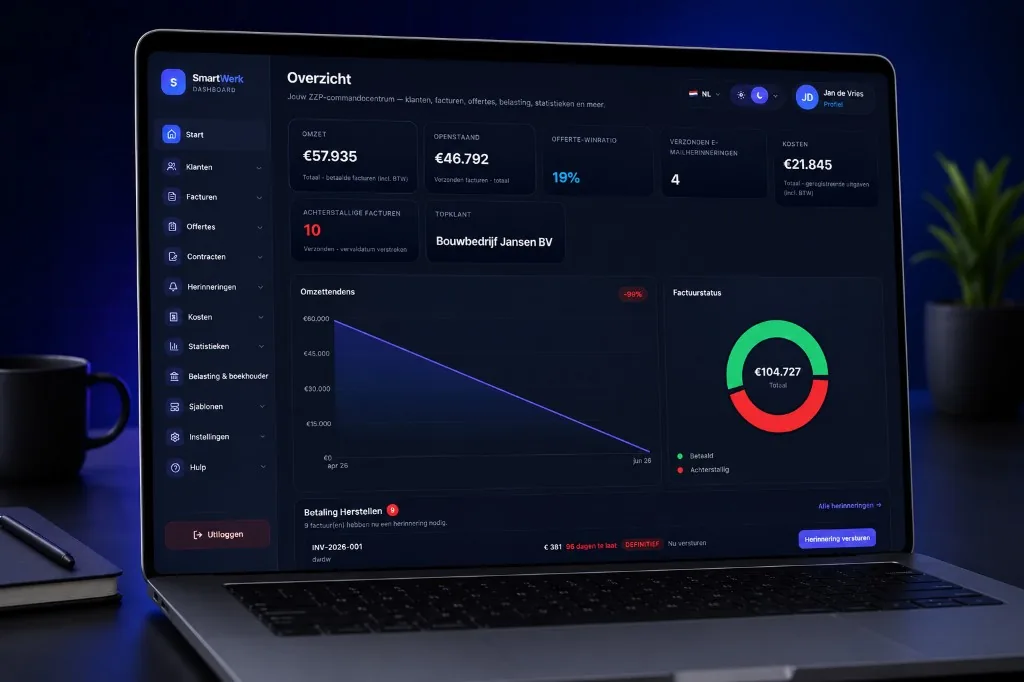
Invoices is the module where you write, number, send and mark client invoices as paid.
For freelancers and small business owners who issue their own invoices and do not need a full accounting package just to bill clients.
Invoices in Word or Excel take time and go wrong: a missing VAT number, a duplicate invoice number, a total that does not add up. In SmartWerk the client, lines and VAT come from the same source.
Choose 0%, 9% or 21% per line. If you use the small-business scheme (KOR) or reverse charge, you set that on the invoice.
Start for freeInvoice numbers continue automatically. You see the next number before you save.
Start for freePick a saved client: name, address, VAT number and payment term are already there.
Start for freeSee whether each invoice is draft, sent or paid, record payments in full or in part, and see what is still outstanding.
Start for freeSelect a client from your list or add one. Your business details from your profile are filled in automatically.
Enter description, quantity, price and VAT, or pull in a saved product or service.
The invoice gets a number. Download the PDF without a SmartWerk watermark.
Email it, mark it paid, or send a reminder later.
SmartWerk follows a job from client to bookkeeper. The highlighted step is this page.
An invoice sits in the middle of the workflow: it comes from your client, quote, time or project, and then moves on to reminders, bank matching and your bookkeeper.
With company number, VAT number, IBAN, due date and your own note on the invoice.
Copy an earlier invoice as the start of a new one, or correct a sent or paid invoice with a credit note for the lines you want to credit.
Turn a quote into an invoice, or create one from logged time, mileage, expenses or a project.
Choose one of five PDF templates and the document language per client, in seven languages.
Add attachments to an invoice, such as a timesheet or specification.
Yes. SmartWerk is built for freelancers in the Netherlands, with fields for company number, VAT number and IBAN. For your bookkeeping you still need your bookkeeper or an accounting package.
Yes, without a SmartWerk watermark.
Yes. You send the invoice by email with the PDF attached.
Yes. You copy an earlier invoice as the start of a new one, or correct an invoice by duplicating it.
Yes. On a sent invoice you record each payment with amount, date and method. You see the remaining balance and can reverse a payment; once the full amount is paid, the invoice shows as paid.
Yes. For a sent or paid invoice you create a credit note for all or some of the lines. SmartWerk shows how much of each line can still be credited, and a credit note cannot exceed the invoice total.
Create a free account and start with one client. Upgrading can wait until you really need a feature.